Video Village Guide
INSTRUCTIONS:
Download VUER App from the App Store.
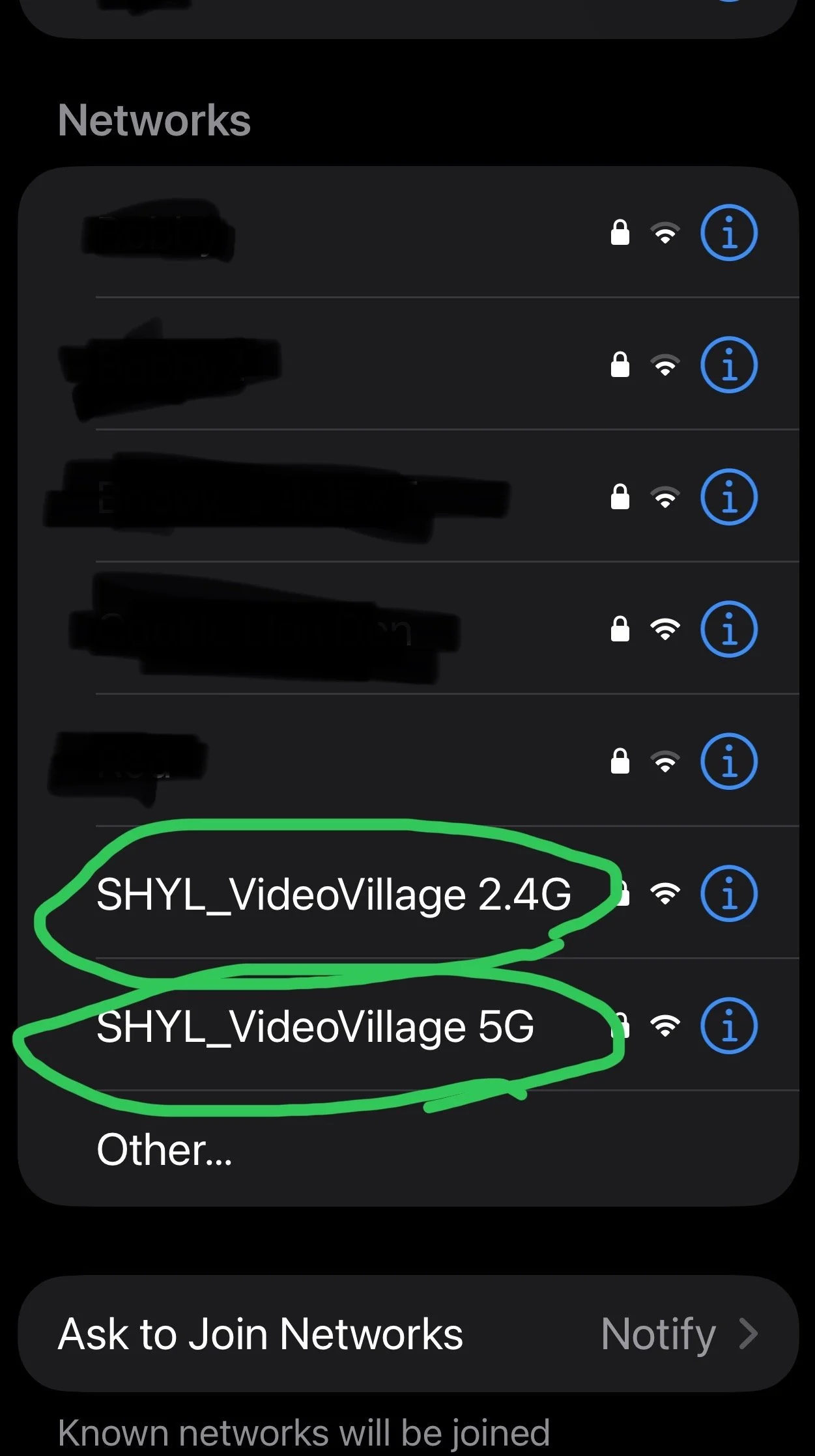
Connect to SHYL_VideoVillage_2.4Ghz (Outdoors) or SHYL_VideoVillage_5Ghz (Indoors) in your WiFi settings. (Password: saythatagain)
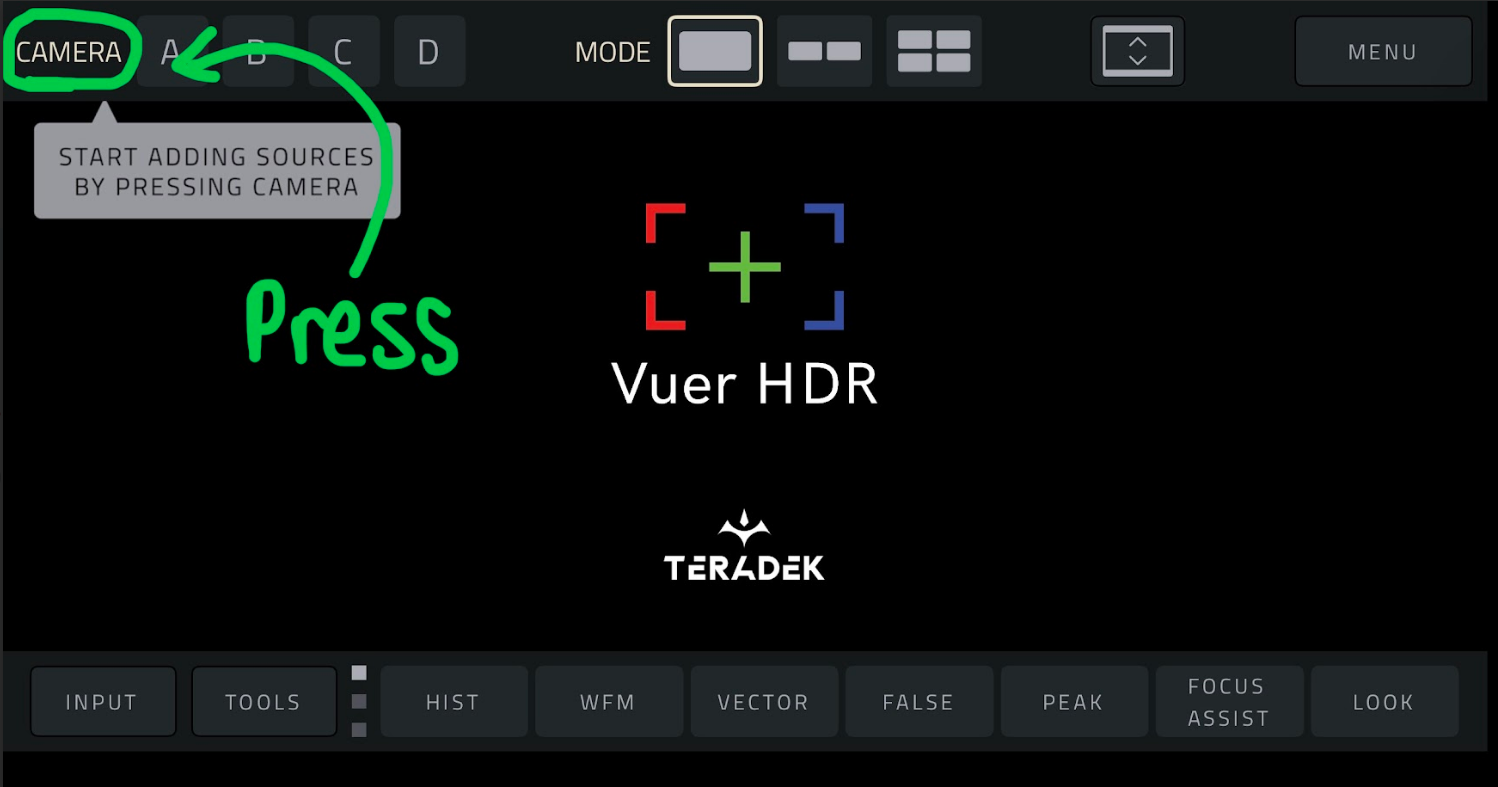
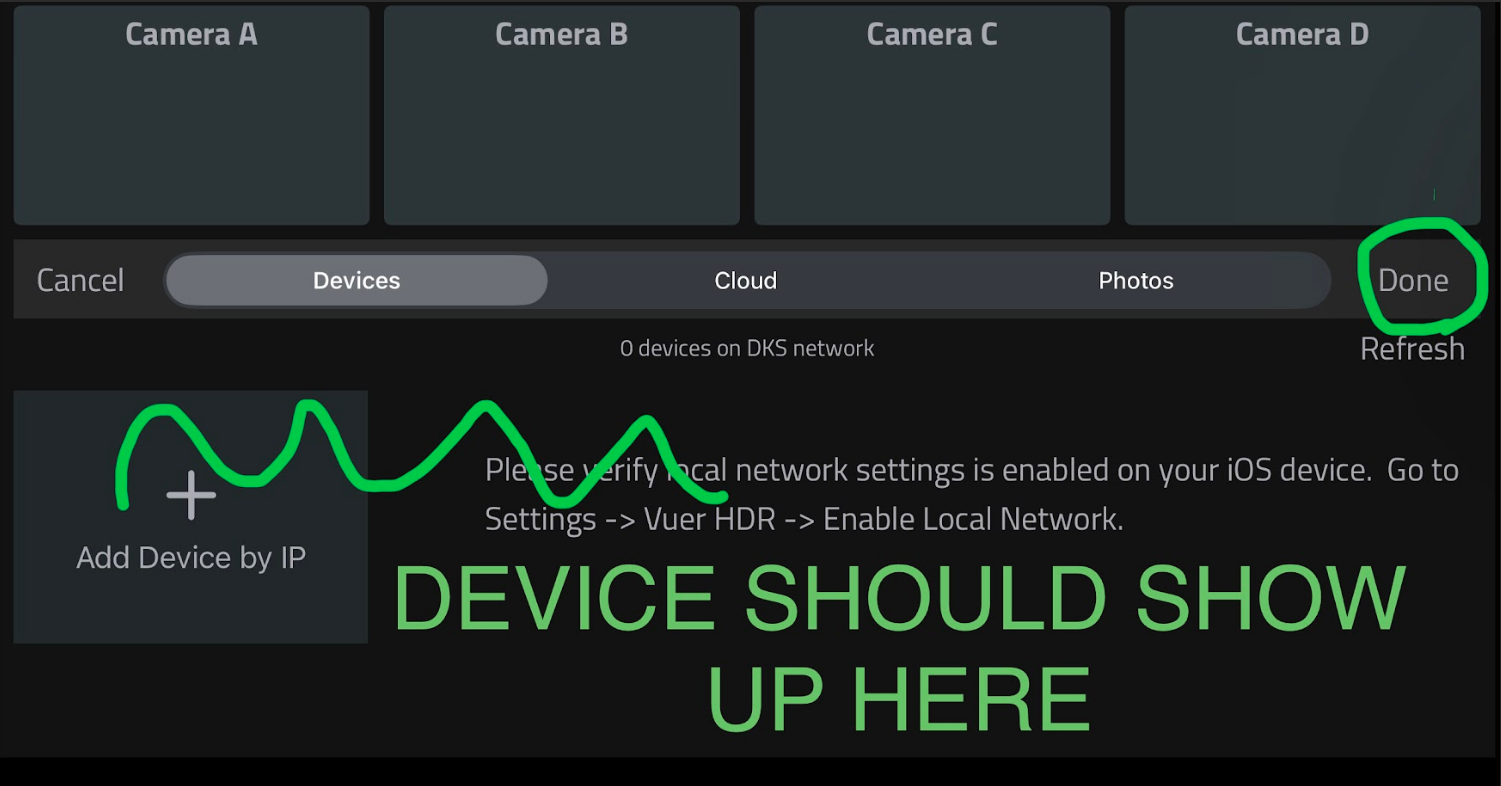
Open VUER App, tap CAMERA, on the upper, left-hand corner, choose your device(s), then tap Done.
To adjust the stream resolution and bitrate, long-press VIDEO on the Tool bar to display the full menu. Make your selection, then tap APPLY.